EVERLATCH
000decrypting interface
Your passwordsnever leaveyour devices.
EverLatch keeps your whole vault — passwords, passkeys, 2FA codes, cards, notes and files — in one encrypted file on your own device. No servers, no accounts, no cloud. Your devices sync directly over your own WiFi.
Scroll — the mark seals into a vault
No cloud.One file.Your WiFi.
Most password managers put your vault on someone else's computer. EverLatch doesn't have a someone else.
One encrypted file
Your entire vault is a single SQLCipher database on your device, encrypted with keys derived from your master password.
Zero servers
No accounts, no cloud storage, no telemetry. There is no company database of vaults, so there is nothing to breach.
Sync over your WiFi
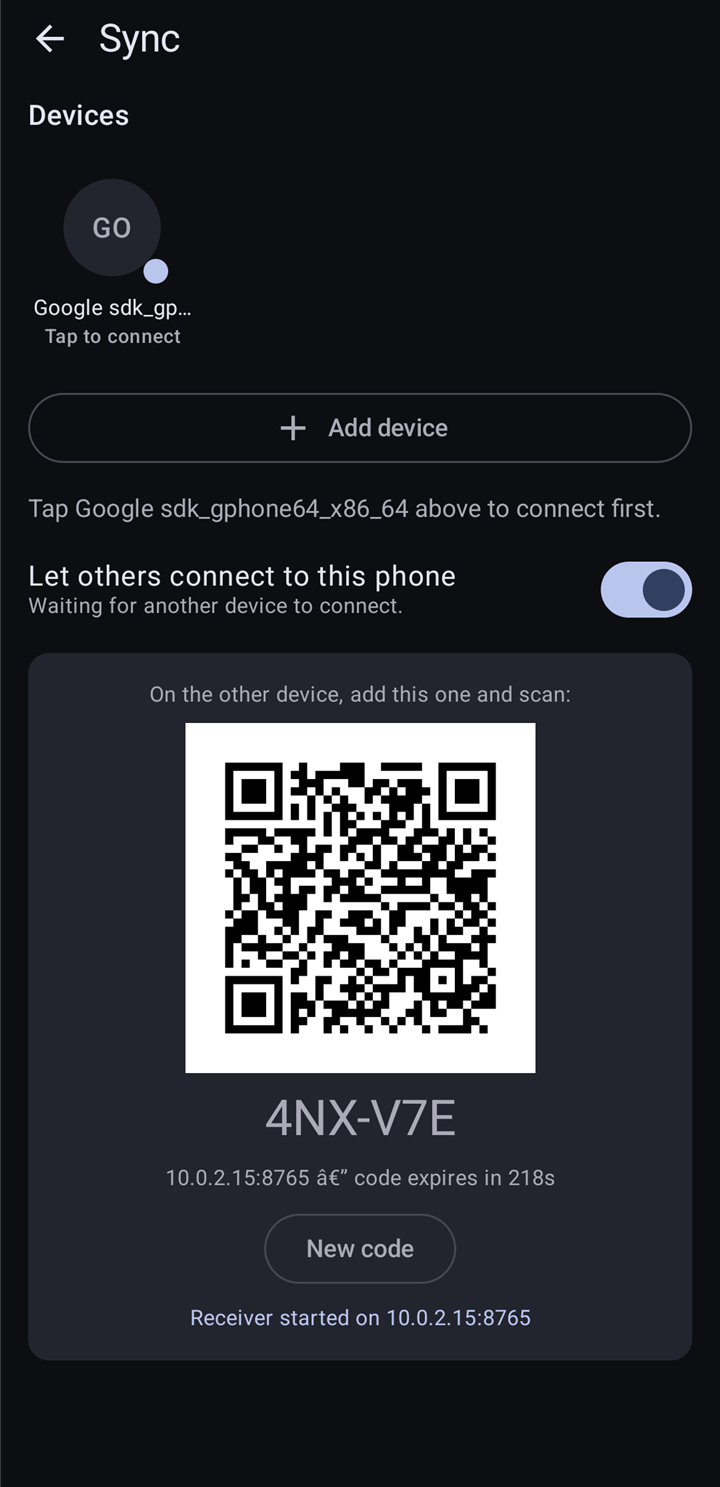
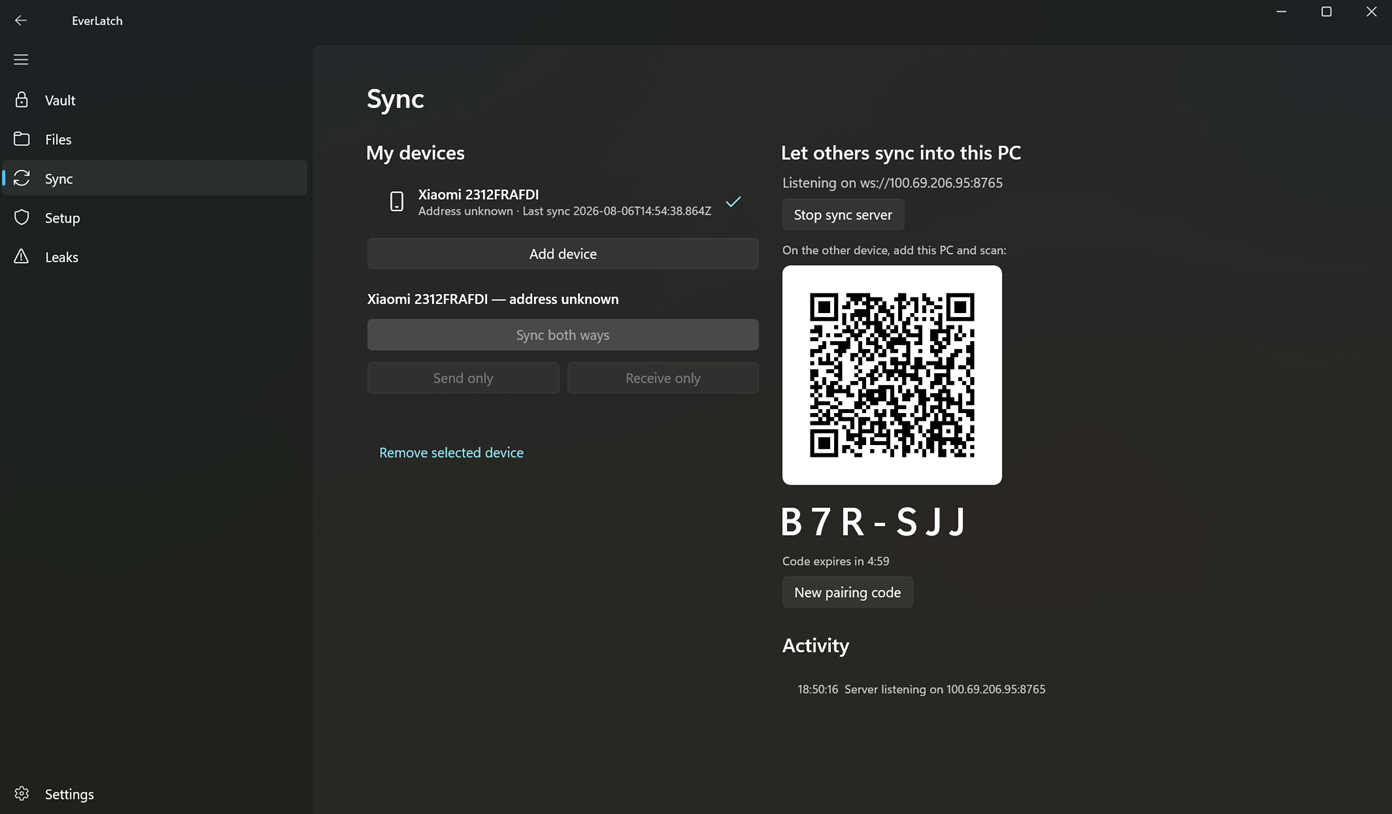
Pair devices with a QR code and they sync directly, end-to-end encrypted, on your own network — no middleman.
See it, plainly.
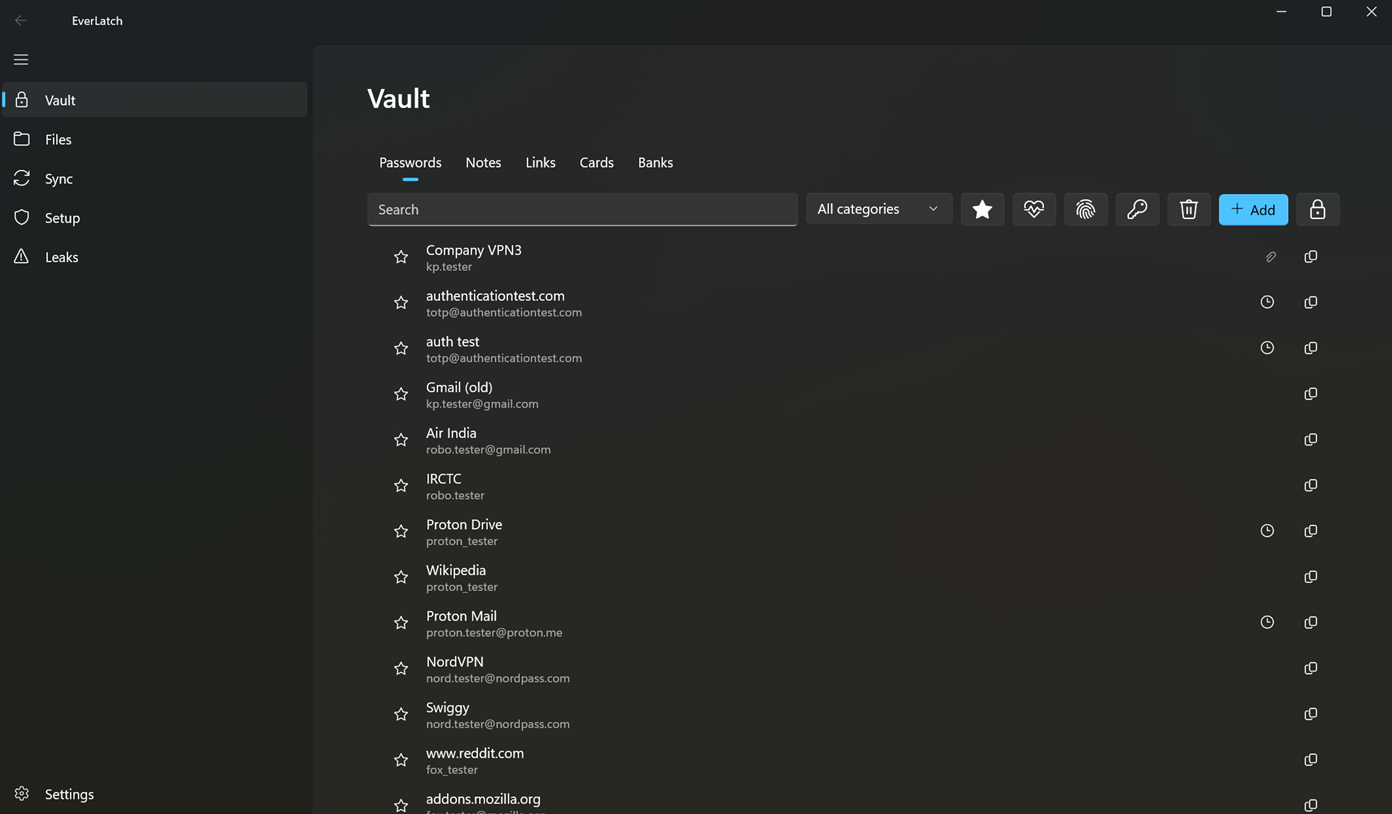
Everything in one place
- Passwords with TOTP codes, notes, links, cards and bank details — organized in tabs, found instantly with search.
- Custom fields and encrypted file attachments on every entry.
- Favorites, categories, and one-tap copy for usernames, passwords and codes.
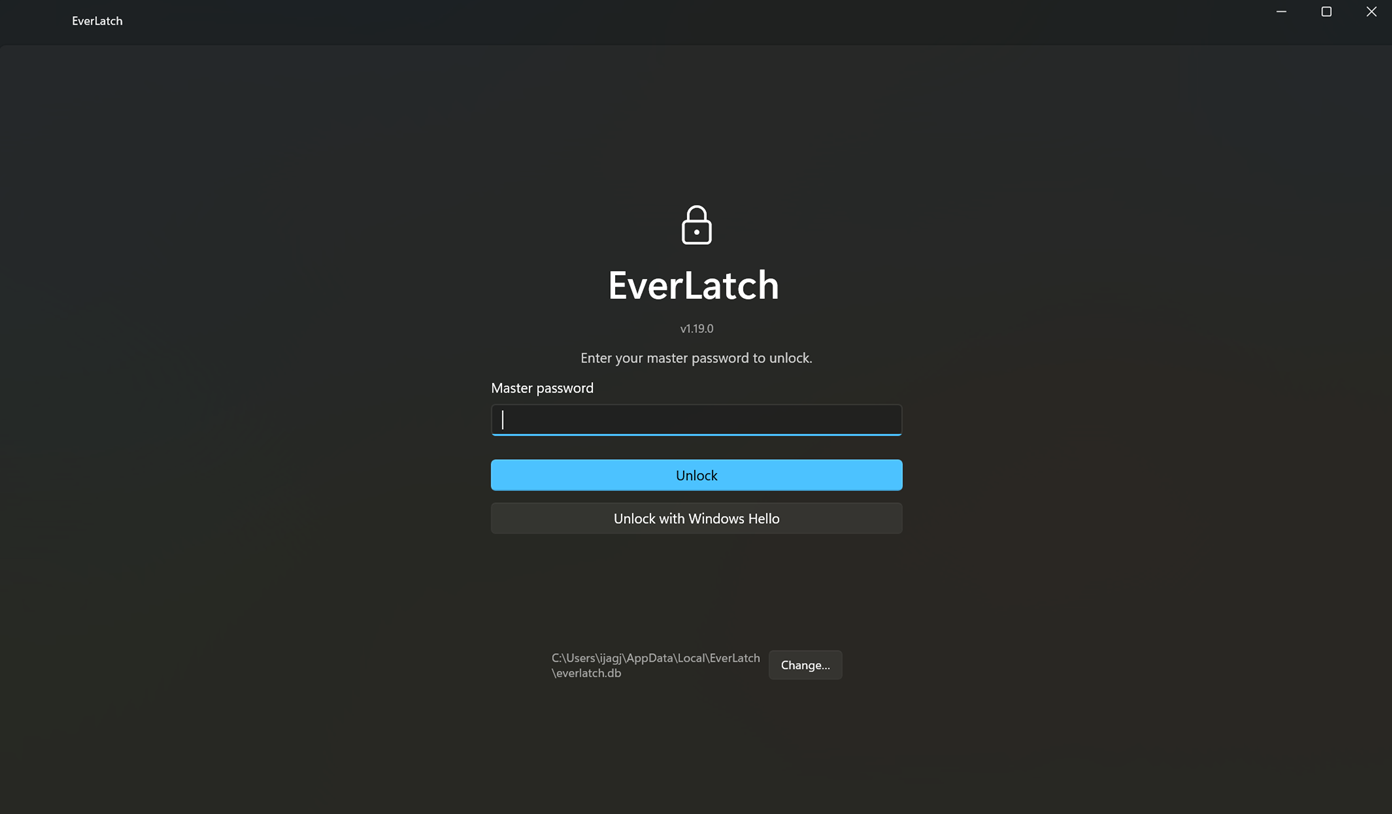
Your vault opens for you, nobody else
- Master password or Windows Hello on desktop; fingerprint or face on Android.
- Auto-lock when idle, clipboard auto-clear after 30 seconds.
- The vault is one local file — you can see exactly where it lives.
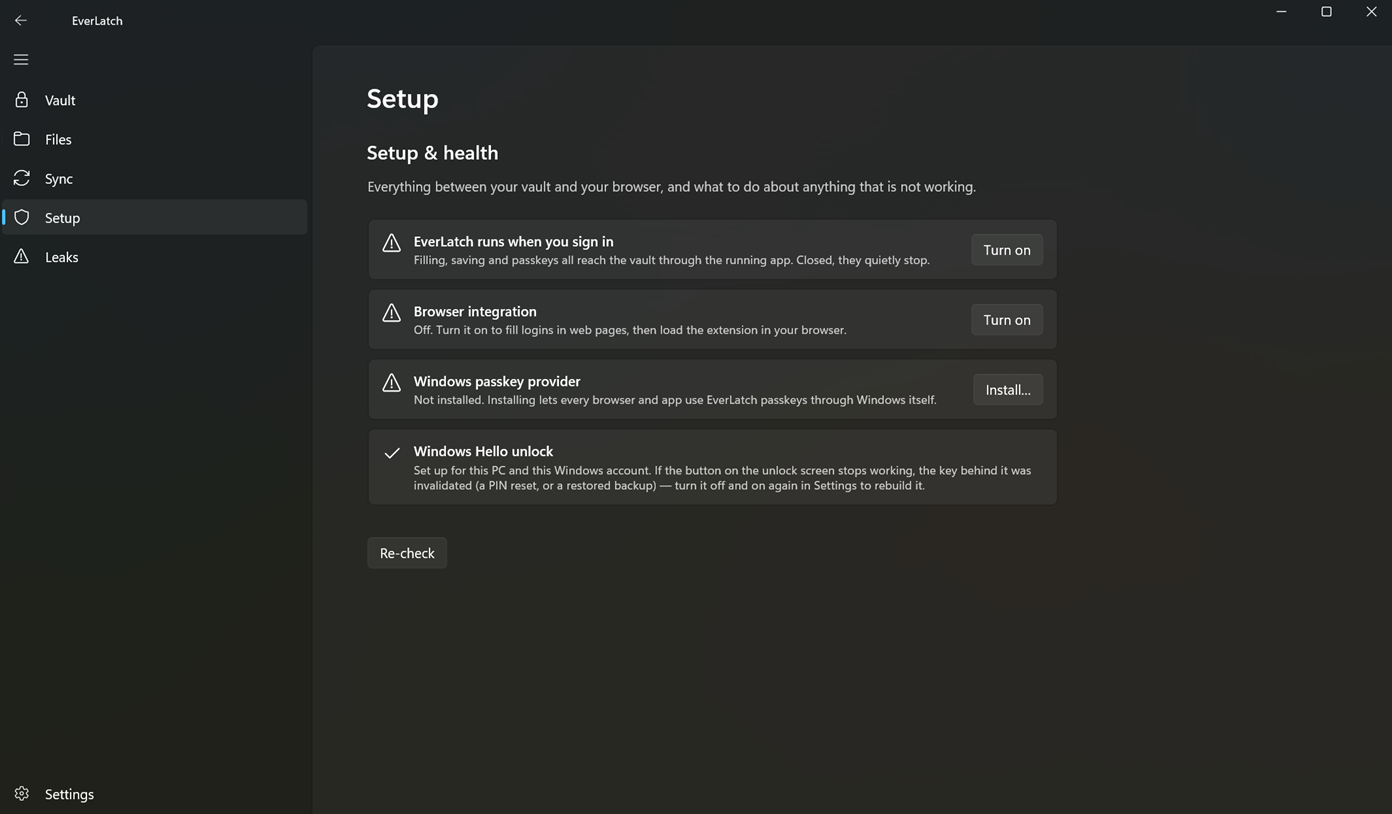
A real passkey provider
- On Windows 11 24H2+, EverLatch plugs into Windows itself — every browser and app can use your passkeys.
- On Android, it registers as a Credential Manager provider.
- Passkeys sync between your devices like everything else.
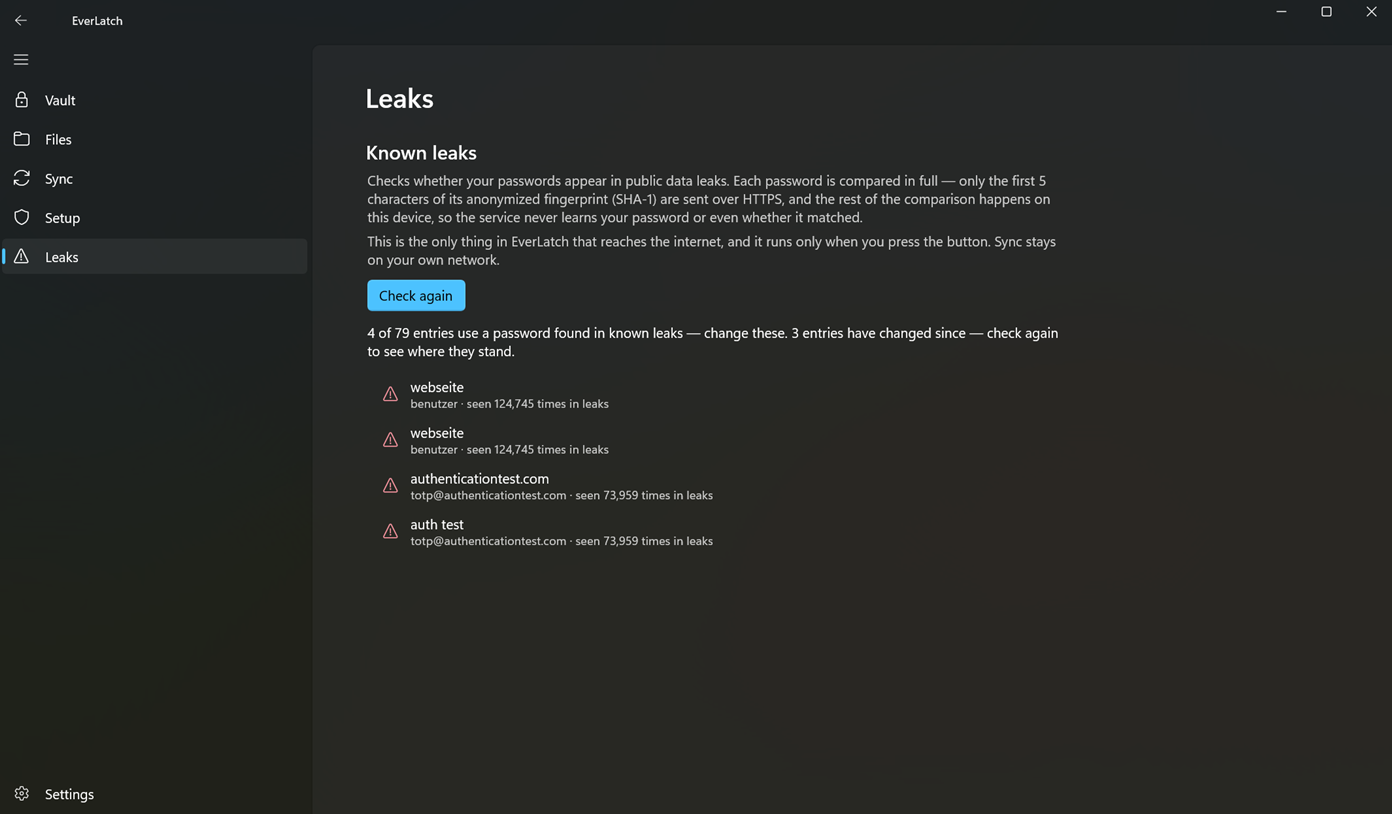
Know what leaked — without leaking
- Reused, weak and old passwords flagged on-device.
- The known-leaks check sends only the first 5 characters of an anonymized SHA-1 fingerprint — the comparison finishes on your device.
- Opt-in, button-press only — and the single thing in the app that ever touches the internet.
Device to device.Nothing in between.
Scan the QR on one device from the other — that's the whole setup. From then on they sync over your WiFi, end-to-end encrypted.
The detailsthat add up.
Autofill everywhere
Android autofill with inline keyboard chips, Windows global-hotkey auto-type, and a browser extension for Chromium browsers and Firefox with in-page fill and save-on-submit.
TOTP codes
Two-factor codes live next to their password — import them by scanning a QR code, autofill them like anything else.
Files & attachments
Encrypted file attachments on every entry, plus a media and file library with folders. Cards, identities and notes too.
History & trash
A 90-day trash with restore and per-entry edit history — the last 20 edits, restorable. Encrypted backup export and import.
Import & export
Auto-detected import from common CSV, JSON, XML and 1pux export formats. Plaintext export exists too, behind a clear warning.
Honest generators
Character passwords and EFF-wordlist passphrases, labeled with their real entropy in bits — no made-up strength meters.
0
servers holding your vault
0
trackers & analytics
0
encrypted file — yours
0%
on your own devices
Boring,proven crypto.
No invented ciphers, no proprietary formats you have to trust. EverLatch uses libsodium and SQLCipher — the same on Windows and Android.
- Argon2id key derivationYour master password is stretched with Argon2id — a modern, memory-hard function built to make guessing expensive.
- SQLCipher vaultThe vault itself is a SQLCipher database: one encrypted file on your own device, and nothing anywhere else.
- XChaCha20-Poly1305 fieldsField-level encryption with XChaCha20-Poly1305 via libsodium, identically on Windows and Android.
- An open protocol between your own devicesSync is an end-to-end encrypted protocol that only ever runs between devices you paired — on your own network.
Fair questions.
Where is my data stored?
In one encrypted file on your own device. There are no servers, no accounts, and no cloud — we could not read your vault even if we wanted to, because it never reaches us.
How do my devices stay in sync without a cloud?
They talk directly to each other over your own WiFi. Devices discover each other via mDNS, you pair them once with a QR code, and everything moves over an end-to-end encrypted protocol — phone↔desktop, desktop↔desktop, phone↔phone.
Does EverLatch ever touch the internet?
One thing can, and only if you ask: the opt-in known-leaks check. It uses k-anonymity — only the first 5 characters of a SHA-1 hash ever leave the device — and it never runs without an explicit button press. Everything else stays local.
What happens if I lose my devices?
Your vault exists only on your devices and in any encrypted backups you exported. Keep an encrypted backup somewhere safe — there is no server copy to recover from, by design.
Can I bring passwords from my current setup?
Yes — import is auto-detected from common CSV, JSON, XML and 1pux export formats. Plaintext export also exists, behind a clear warning.
Which platforms are supported?
Windows 10/11 and Android 8+, plus a browser extension for Chromium-based browsers and Firefox. The Windows passkey provider needs Windows 11 24H2 with TPM 2.0.
Nothing to breach.Nothing to trust.
One encrypted file, on hardware you own, synced over a network you control.